Advertising Disclosure: We may earn a commission when you buy through links on this page.
T.LY Review 2026: Is T.LY Worth It? We Break Down Every Plan
Last updated November 2026 · Researched from t.ly, its public terms and pricing page, and third-party review sites

T.LY marketing image showing short links shared across social platforms
Short links look like a solved problem until you try to run a real campaign on them. You want clean branded links, click data you can trust, QR codes that do not break, and a bill that does not surprise you. This T.LY review asks a simple question: is this URL shortener worth paying for, or should you stick with a free tool or a bigger name?
This t.ly review is based on research, not hands-on testing. We read the current pricing page, the terms of service, the product pages and the public feedback on sites such as Trustpilot, G2 and SaaSworthy, then compared what T.LY promises against what reviewers actually say. The short version: T.LY is a focused, fairly priced link and QR code tool with strong branding options, but its reputation suffers from confusion about what happens to links when you stop paying.
Quick Verdict
- Best for: creators, small marketing teams and agencies who want branded short links, dynamic QR codes and link-in-bio pages under one login
- Skip if: you only need a few throwaway links, or you need a permanent free tier you can leave running for years
- Price range: $10 to $100 per month on monthly billing, or $110 to $550 per year on the yearly plans we could see (at time of writing, November 2026)
- Our rating: 3.8/5, based on specs, pricing value and mixed public reviews rather than hands-on use
What Is T.LY?
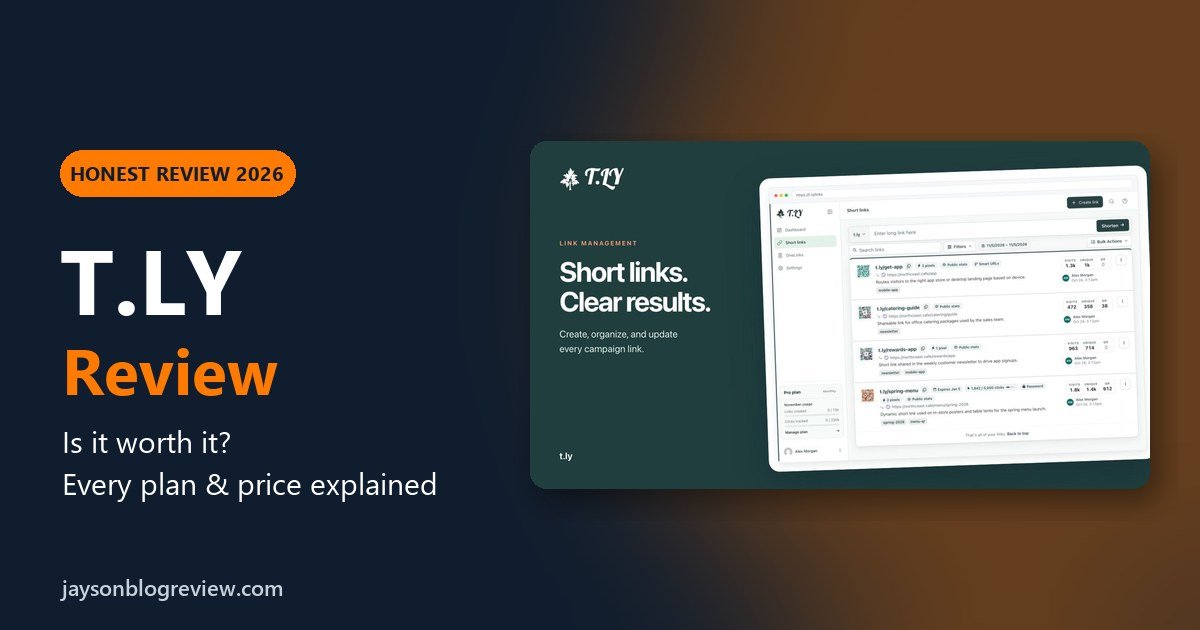
T.LY is a URL shortener and link management platform. You paste a long address, get a short one, and see who clicked it. Beyond that, the service bundles QR code generation, link-in-bio pages called OneLinks, custom domains with SSL, password-protected links, smart URLs for A/B testing, webhooks and an API.
According to its about page, T.LY is founded and run by Tim Leland, a software developer with more than 20 years of experience, and the company says it has shortened over 60 million links. That figure is the company's own claim and we could not verify it independently. The service also offers free browser extensions and integrations with Canva and ChatGPT, which makes it easy to create links without opening the dashboard.

The T.LY dashboard as shown on the official homepage
Is T.LY Legit?
Yes, in the sense that T.LY is a real, operating service with a named founder, published terms, a cancellation policy and a trust and safety section where it says it blocks malicious links. Where it gets complicated is reputation. SaaSworthy lists an average of 1.6 out of 5 from 27 ratings, and several Trustpilot reviewers say links stopped working after they stopped paying. G2 shows only a handful of reviews with a middling average, and the praise there focuses on the interface and analytics. Product Hunt shows a perfect score, but from a single review.
We found no Reddit discussion of note. The takeaway is not that T.LY is a scam, but that the complaints cluster around one expectation: people assumed free links would live forever. Read the plan rules before you print a QR code on anything permanent.
The T.LY Plans and Standout Features, Reviewed
T.LY keeps its pricing simple. Every plan includes unlimited clicks, custom domains with SSL, private stats pages, QR codes and API access. What changes is the monthly allowance of short links, QR codes and tracked stats, plus how many domains, OneLinks and team seats you get. Every plan also comes with a five-day trial that does not require a credit card.
1. Personal Plan — Best for solo creators
Spec line: $10 per month at time of writing (November 2026) · 1,000 short links, 1,000 QR codes and 50,000 tracked stats per month · 2 custom domains, 1 OneLink · Best for freelancers and small channels
The entry plan on monthly billing is the T.LY Personal plan. A thousand links a month is plenty for a creator who shares a handful of URLs per day, and two custom domains means you can brand links for a main site and a side project. You still get private stats and the API, which many rivals gate behind higher tiers. The main trade-off is the short visit log, which keeps individual visit records for just five days, although older visits still count in your totals.
Pros
- Custom domains with SSL included at the lowest tier
- API access and private stats pages included
- Five-day trial with no card required
Cons
- Only one team member and one OneLink
- Five-day visit log retention is short for detailed analysis
2. Basic Plan — Best for growing brands
Spec line: $20 per month at time of writing (November 2026) · 4,000 short links, 4,000 QR codes and 100,000 tracked stats per month · 10 custom domains, 5 OneLinks · Best for small businesses running several campaigns
T.LY marks the Basic plan as its recommended tier, and the numbers explain why. Quadrupling the link and QR allowance for double the Personal price is the best value jump on the page. Ten custom domains suit a small agency or a brand with regional sites, and five OneLinks let you build separate link-in-bio pages for different channels or clients. Visit logs extend to seven days. It is still a single-seat plan, so teams will outgrow it quickly.
Pros
- Strongest price-to-allowance ratio of the four monthly plans
- Ten custom domains and five OneLinks
- Marked as the recommended plan by T.LY itself
Cons
- One user seat only
- No priority support at this tier
3. Pro Plan — Best for teams
Spec line: $50 per month at time of writing (November 2026) · 10,000 short links, 10,000 QR codes and 250,000 tracked stats per month · 20 custom domains, 10 OneLinks, 5 team members · Best for marketing teams
The T.LY Pro plan is where collaboration starts. Five team members share one account, which beats passing around a single login, and priority support is included for the first time. Ten thousand links and 250,000 tracked stats a month cover most small to mid-size campaign calendars. Visit logs rise to ten days. If you only need the extra volume and not the seats, the Basic plan is cheaper, so be honest about how many people will actually use it.
Pros
- Five team seats and priority support
- Twenty custom domains for multi-brand setups
- Large monthly allowances for links and QR codes
Cons
- Jump from $20 to $50 is steep if you do not need seats
- Webhooks are reserved for the Business plan
4. Business Plan — Best for agencies and developers
Spec line: $100 per month at time of writing (November 2026) · 20,000 short links, 20,000 QR codes and 500,000 tracked stats per month · 100 custom domains, 100 OneLinks, 10 team members, 20 webhook endpoints · Best for agencies and automation-heavy teams
At the top of the public price list, the T.LY Business plan adds the features developers ask for: 20 webhook endpoints with a delivery rate of 60 per minute, so you can react to link events in real time. A hundred custom domains and a hundred OneLinks make it realistic for an agency managing many clients, and visit logs are kept for twenty days. Anyone needing more can contact T.LY for a custom plan. Note that we did not see a yearly price for this tier on the toggle.
Pros
- Webhooks for real-time link events
- One hundred domains and OneLinks for client work
- Ten team members and the longest visit log
Cons
- Expensive for a single marketer
- Yearly pricing for this tier was not visible to us
5. Analytics, QR Codes and Smart URLs — Best for campaign tracking
Spec line: included on every plan, with allowances from 50,000 to 500,000 tracked stats per month · Best for marketers who need proof of what works
The feature that matters most is tracking. Every link gets a private stats page, QR codes are customizable and trackable, and smart URLs support A/B testing so you can split traffic between destinations. One honest caveat from the pricing page: links keep redirecting after you reach your monthly tracking limit, but extra clicks are simply not tracked. That is a sensible design, since your campaign never breaks, though heavy campaigns should size the plan to expected clicks. The T.LY analytics tools are also what G2 reviewers praise most.
Pros
- Unlimited clicks without breaking live links
- A/B testing through smart URLs
- Editable destinations for printed QR codes
Cons
- Clicks beyond the tracking allowance are not recorded
- Visit logs are short, from five to twenty days

The free T.LY browser extension popup for one-click shortening
6. OneLinks and the Browser Extension — Best for creators
Spec line: OneLinks from 1 on the Personal plan to 100 on Business; extension is free and needs no account · Best for creators who live in their browser
OneLinks are T.LY's answer to link-in-bio pages, which means you can keep short links, QR codes and a bio page in one account instead of paying for a separate tool. The free extension turns any page into a short link in one click and copies it to your clipboard, and T.LY says no account is needed for that. Together with the Canva and ChatGPT integrations, the T.LY OneLink pages make the platform handy for solo publishers.
Pros
- Bio page, short links and QR codes in one login
- One-click extension that copies to the clipboard
Cons
- Only one OneLink on the cheapest plan
- We have not compared its bio pages with dedicated link-in-bio builders, so design flexibility is unconfirmed
Ease of Use and Reliability
T.LY recently redesigned its app with a shared sidebar, search and navigation that works on phones, and reviewers on G2 describe the interface as easy. The site's own testimonials stress simplicity and the fact that new links are copied straight to the clipboard. We have not used the service ourselves, so treat this as a summary of what the company and its users say rather than a verdict on uptime.
On reliability, the key point is what happens when a subscription ends. The service redirects links as long as your plan is active, and the Trustpilot complaints we read describe links being deactivated after payment stopped. The company's help center lists an article on what happens when your plan expires, so read it before you commit to anything printed. For anything permanent, such as packaging or signage, use your own custom domain and keep the plan active.
Free Plan, Billing and Refunds
- Free plan: the pricing page we saw lists paid plans with a five-day trial and no credit card required; we did not see a permanent free plan, so do not assume free links last forever
- Billing options: monthly billing, plus yearly plans we could see for Hobby ($55), Personal ($110), Basic ($220) and Pro ($550)
- Cancellation: you can cancel at any time from account settings, and access continues until the end of the current billing cycle
- Refunds: subscription fees are generally non-refundable, but you can request a full refund for a renewed subscription within two calendar days of the renewal date
- Custom plans: available through the contact form for higher volume, more seats or help moving from another shortener
T.LY vs. Competitors
- Bitly: the best-known name with deep integrations and enterprise features. It is generally positioned as a heavier, pricier tool, while T.LY aims at creators and small teams with simpler tiers.
- Rebrandly: focused on branded links and domains, so it is the closest rival to T.LY's custom domain pitch. Compare domain limits and team seats on both pricing pages.
- Short.io: another branded-link platform popular with developers and agencies. T.LY counters with OneLinks and QR codes bundled into every plan.
We did not check the competitors' current prices, so compare allowances and not just sticker prices.
How to Save at T.LY
- Use the trial first: every plan offers five days with no credit card, so test your real workflow before paying
- Pay yearly: on the plans we could see, the yearly price is eleven times the monthly one (for example $110 per year versus $10 per month for Personal), which works out to roughly one month free
- Right-size your plan: the Basic plan has the best value jump, so avoid Pro unless you need team seats or priority support
- Start small: you can sign up for T.LY on a lower tier and upgrade when your volume grows
We found no coupon code, so ignore any site claiming a secret T.LY discount.
What Real Customers Say
Paraphrasing the feedback we found, three themes of praise stand out:
- The interface is simple and quick to learn
- Analytics and tracking are the standout feature
- Custom links and QR codes are easy to create
Two complaints come up repeatedly:
- Links stopped working after a trial or subscription ended, which some reviewers felt was not made clear
- Low aggregate ratings on sites such as SaaSworthy, where the sample is small but harsh
FAQ
Is T.LY free? The extension is free, but the pricing page we saw offers a five-day trial and paid plans rather than a permanent free tier.
How much does T.LY cost? Monthly plans run $10, $20, $50 and $100 at time of writing, and yearly plans we saw start at $55 per year.
Does T.LY support custom domains? Yes, with SSL on every plan. The number ranges from 2 on Personal to 100 on Business.
Can I get a refund? Fees are generally non-refundable, but a renewal can be refunded if you ask within two calendar days.
Does T.LY have an API? Yes, API access is listed on every plan, and webhooks are on the Business plan.
What happens to my links if I cancel? Your access runs to the end of the billing cycle. Check the help center article on plan expiry for details on links afterward.
Final Verdict
T.LY is a capable, reasonably priced link platform that bundles short links, QR codes and bio pages with custom domains from the cheapest plan. If you are a creator or a small team who wants branded links and clear analytics, the T.LY free trial is a low-risk way to find out, and the Basic plan is the best value. If you want permanent free links with no upkeep, or if you are not prepared to keep a subscription running behind printed QR codes, look elsewhere. Our rating of 3.8 out of 5 reflects strong features offset by a polarized public reputation.
How We Researched This Review
We did not use T.LY ourselves. This review draws on the T.LY pricing page, terms of service, about page and homepage as read in November 2026, plus public ratings on Trustpilot, G2, SaaSworthy and Product Hunt. Prices and limits can change, so confirm them on the official site before you buy.