Advertising Disclosure: We may earn a commission when you buy through links on this page.
PRO EDU Review 2026: Is PRO EDU Worth It? We Break Down 8 Best-Sellers
Last updated October 2026 · Researched from proedu.com, the brand's own pages and public search results
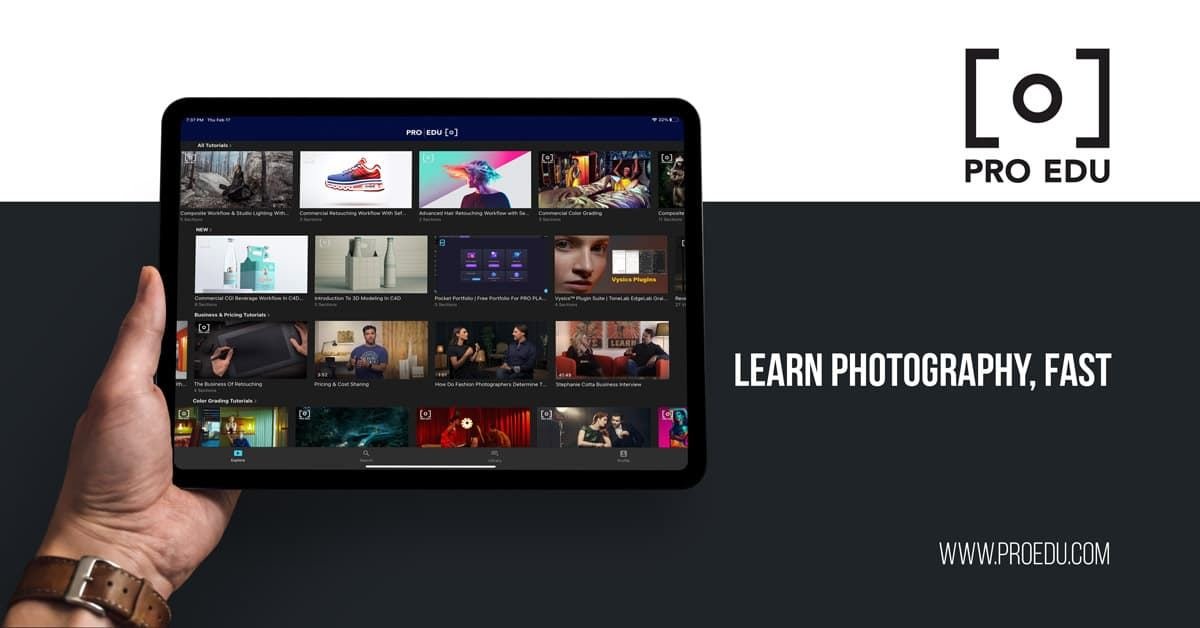
PRO EDU, the online photography and retouching education platform
Online photography courses range from free YouTube walkthroughs to four-figure workshops, so it is fair to ask whether a $149 tutorial is money well spent. This PRO EDU review looks at what the platform actually sells, who teaches the courses, what the policies say and where the weak spots are, so you can decide before paying. Our short answer: PRO EDU is a focused, professional-level video library for photographers and retouchers, and it suits people who want one specialist teaching one workflow in depth. It is less suited to anyone who just wants a few quick tips, and independent reviews are thin, so we lean on the brand's own published information and say so where that matters.
This review is a researched review. We did not take the courses ourselves. Everything below comes from the PRO EDU store pages, its About page, and what a couple of public searches did and did not turn up.
Quick Verdict
Best for: Intermediate and aspiring professional photographers who want deep, genre-specific lessons in lighting, styling and retouching
Skip if: You only need beginner basics, prefer free content, or want a cash refund option on digital products
Price range: $49 for the creative overlay pack up to $149 for each full course, at time of writing (October 2026)
Our rating: 4/5, based on the depth of the catalog, the named instructors and the verified discount, with points taken off for the shortage of independent reviews and the store-credit style policy
What Is PRO EDU?
PRO EDU describes itself as an education platform for image makers. According to its About page, it was founded in 2014 by Gary Winchester, who has said the idea came to him in 2007 while he was serving in the Peace Corps in Moldova, when he bought a camera and could not work out how to get the photos he admired. The mission statement on the site is to help artists become working professionals by building a large digital library of visual arts education taught by seasoned working pros.
In practice, the store sells downloadable and streamable video tutorials, each built around one instructor and one specialty: beverage photography, fine art portraits, natural light, color grading, commercial retouching and more. It also sells add-on assets such as overlay packs, and it promotes an annual all-access plan on top of the single-course purchases. Because the courses are digital, there is nothing to ship; the brand's policy page lists a support email, support@proedu.com, as the contact point.
Is PRO EDU Legit?
As far as we can tell, yes. The company has been operating since 2014 according to its own About page, the founder is named and publicly linked, and the store runs on a standard Shopify checkout. We found no sign of a scam in our searches.
The caveat is independent feedback. We searched for Trustpilot and Reddit discussions and found none that were clearly about PRO EDU, so most of the available information comes from the brand itself. Some figures it publishes, such as student numbers and instructor earnings, are self-reported and we could not verify them. Star ratings on the site also appear with different review counts on different pages, so treat them as the brand's own numbers rather than an audited score. If independent proof matters to you, look at the instructors' own portfolios and decide whether their work is the style you want to learn.
The Best PRO EDU Products, Reviewed
The store's course pages follow a consistent format: one named instructor, one workflow, and long-form video. Prices below are at time of writing (October 2026), and each course listed here was priced at $149 on the store.
1. Commercial Beer Photography: Lighting & Retouching — Best for Product and Beverage Shooters
PRO EDU Commercial Beer Photography course artwork
Price: $149 · Format: Video course · Instructor: Rob Grimm
Beverage photography is a narrow specialty that rewards a lot of technical knowledge about lighting, glass and liquids. According to the store description, Commercial Beer Photography is taught by Rob Grimm, who has built his career in beverage work, and it covers his methods, tricks and workflow. The pitch is that technique alone is not enough and that emotion drives striking drinks images. That is an unusual angle for a technical subject and the reason this course stands out.
Pros
Teaches a profitable commercial niche from a specialist
Covers both lighting and retouching in one place
Cons
Very specific, so less useful if you do not shoot drinks
No rating shown for this course on the store listing
2. Fine Art Portraiture, Styling, & Retouching — Best for Painterly Portraits
PRO EDU Fine Art Portraiture course artwork
Price: $149 · Format: Video course · Instructor: Gemmy Woud-Binnendijk
This is the course for photographers who want portraits that feel like paintings. The listing says Fine Art Portraiture, Styling, & Retouching is taught by Gemmy Woud-Binnendijk, described as a world-renowned fine art photographer, and that it covers lighting, styling and retouching with attention to detail. The styling element is the part many portrait courses skip, so it is a good fit if you build sets and wardrobe rather than just point a camera at a subject.
Pros
Includes styling, not only lighting and editing
Strong choice for a distinctive, personal look
Cons
Fine art work can require props and wardrobe budget
Not aimed at fast, high-volume portrait sessions
3. Natural Light Portraiture & Retouching — Best for Realistic, Clean Portraits
PRO EDU Natural Light Portraiture course artwork
Price: $149 · Format: Video course, over 10 hours · Instructor: Dani Diamond
Natural light is the lowest-cost way into professional-looking portraits, and Natural Light Portraiture & Retouching teaches how Dani Diamond builds his recognizable look. The store says the course runs over 10 hours and focuses on making post-production retouching look natural, not heavy-handed. If you want a workflow you can copy into your own editing routine without extra lighting gear, this is among the most practical picks in the catalog.
Pros
Needs little equipment, so it is easy to apply straight away
Over 10 hours of content according to the listing
Cons
The look is tied to one photographer's style
Natural light results depend on your location and weather
4. Dramatic Portraiture Lighting, Styling & Retouching — Best for Moody, Cinematic Portraits
PRO EDU Dramatic Portraiture course artwork
Price: $149 · Format: Video course, over 13 hours · Instructor: Chris Knight
Where the natural light course keeps things soft, Dramatic Portraiture goes for contrast and emotion. Chris Knight walks through an advanced workflow that combines light, styling, posing and retouching, and the store lists more than 13 hours of teaching. That makes it one of the longer courses in this lineup, and the word advanced on the listing suggests you should be comfortable with your camera and editing software first.
Pros
Covers posing as well as light and retouching
Long format with more than 13 hours of teaching
Cons
Described as advanced, so beginners may struggle
Likely needs lighting equipment you may not own
5. The Science of Color: Creative Decisions & Editing — Best for Understanding Color Theory
PRO EDU Science of Color course artwork
Price: $149 · Format: Video course · Instructor: Kate Woodman
Many photographers edit by feel and never learn why one image works and another does not. The Science of Color is built to fix that. Kate Woodman, a professional photographer and instructor according to the listing, breaks down color theory and shows how to apply it to your own photos so you can tell stories with color. This is more about decisions than presets, which makes it useful whatever genre you shoot.
Pros
Genre-neutral, so the lessons apply to almost any style
Teaches principles instead of one-click looks
Cons
Theory-heavy, which some learners find slower than hands-on shoots
Results still depend on your own practice
6. Commercial Retouching Workflow: Advanced Color Grading — Best for Photoshop Color Work
PRO EDU Advanced Color Grading course artwork
Price: $149 · Format: Video course · Instructor: Sef McCullough
Photoshop is powerful for grading but intimidating to start with, and Advanced Color Grading aims to give you a structure. Sef McCullough shows how to audit and grade colors and how to build cohesive image families using color palettes, without leaning on filters or packs. For anyone producing sets of images for a brand or portfolio, consistency is the real challenge, and this course targets exactly that.
Pros
Focuses on consistency across a whole set of images
Works without filters or preset packs
Cons
Assumes you already use Photoshop
Narrower in scope than the general color course
7. Commercial Retouching Workflow: Products & Apparel — Best for Commercial Retouchers
PRO EDU Products and Apparel retouching course artwork
Price: $149 · Format: Video course · Instructor: Sef McCullough
The same instructor returns here with a workflow for product and apparel images. The listing calls him one of the most sought-after digital artists and says he shares advanced post-production techniques. Products & Apparel is a natural pairing with the grading course if you retouch for e-commerce or fashion clients, since both are built around commercial deadlines and polished, repeatable results.
Pros
Directly relevant to paid e-commerce and fashion work
Pairs well with the color grading course
Cons
The listing gives few specifics about lesson length
PRO EDU Master Collection of 200 Creative Overlays artwork
Price: $49 (listed as was $99) · Format: Digital assets · Rating: 4.7/5 from 2,154 reviews on the brand's site
This is the only non-course item here and the cheapest. The Master Collection of 200 Creative Overlays gives you 200 options to add flair or change the look of an image. It is the best-rated product we found on the store, at 4.7 out of 5 across 2,154 reviews, though those ratings are shown on the brand's own site and we could not check them elsewhere. Remember the was price of $99 is the brand's own comparison figure, so judge the overlays on how useful they are to you.
Pros
Lowest entry price in the catalog
Large number of options for the money
Cons
Overlays can make images look similar if overused
The crossed-out price may not reflect what most people actually pay
Quality & Durability
Digital courses do not wear out, but quality still varies, so here is what we could judge from the store pages.
Depth: The courses are long-form, with listings citing over 10 and over 13 hours for two of them.
Instructors: Each course is led by one named specialist, which keeps the teaching consistent.
Currency: Course art and product pages were updated recently, but software changes quickly, so check that the techniques match the version of Photoshop you use.
Access: Confirm how long you keep access and whether downloads are included before you buy, since we could not verify this on the pages we reviewed.
Shipping, Returns & Warranty
Shipping: Not applicable for digital courses; delivery is online after purchase.
Support: The store lists support@proedu.com.
Returns: The brand's public pages, as summarized in our research, indicate a 30-day exchange policy with store credit rather than cash refunds for individual courses. Check the current terms at checkout.
Subscriptions: The brand's pages indicate payments already made on the annual plan are not refunded, so read the renewal terms first.
PRO EDU vs. Competitors
Free YouTube tutorials: Cost nothing and are fine for single tips, but they rarely give a complete start-to-finish workflow from one professional.
Other paid photography education sites: Several well-known platforms sell similar retouching and lighting courses. We did not compare their prices, so we cannot say which is cheaper. The main difference is PRO EDU's focus on one named instructor per workflow.
General skill platforms: Broad subscription sites cover photography among many topics. They are usually cheaper per month but less specialized.
How to Save at PRO EDU
We tested the discount through our link. Using the PRO EDU promo code JAYSONREVIEW, a $149 course was reduced by $22.35, which is 15% off, and a $49 overlay pack was reduced by $7.35, also 15%. The code applied automatically at the cart stage on both a full-price item and an item already marked down, so the sheet's offer of 15% off the entire order held up in our check.
Open the store through our link so the code applies automatically.
Check the cart for the discount line before you pay.
Compare single courses with the annual plan if you plan to take several; do the math yourself since plan pricing changes.
What Real Customers Say
We did not find reliable independent customer discussion for PRO EDU on the major review sites, so this section is limited. What we can say is based on the brand's own on-site ratings and course descriptions.
Praise theme 1: The overlay pack has a 4.7 out of 5 rating from 2,154 reviews on the brand's site.
Praise theme 2: The brand emphasizes working-professional instructors and detailed workflows.
Praise theme 3: Long, detailed courses are the main selling point in the descriptions.
Complaint theme 1: Independent verification is hard to find, and published review counts differ between pages.
Complaint theme 2: The refund approach for digital products is store credit or exchange, not cash back.
FAQ
Is PRO EDU worth it?
If you want in-depth, specialist training and will actually finish the course, many photographers will find $149 reasonable, especially with 15% off. If you only need basics, free resources may be enough.
Does the PRO EDU discount code work?
In our cart test, code JAYSONREVIEW gave 15% off both a full-price course and a discounted overlay pack when applied through our link.
Are the courses suitable for beginners?
Some are described as advanced. The color theory and natural light courses look more approachable, but check each listing first.
Can I get a refund?
According to the brand's published policy as we found it, individual courses are exchange or store credit only. Verify before buying.
Do I need Photoshop?
The retouching and grading courses are built around Photoshop, so yes for those. Check each listing for software details.
Final Verdict
PRO EDU is a credible, specialist photography school with named instructors, long-form lessons and a verified 15% discount. The main drawbacks are the limited independent reviews and the store-credit refund approach. If you already know which skill you want, such as natural light portraits or commercial retouching, the PRO EDU coupon code makes a $149 course cost about $126.65 and is worth a look. If you are unsure, start with the overlay pack or one course rather than a larger plan.
How We Researched This Review
We collected prices, descriptions, images and ratings from the PRO EDU store, tested the discount in a cart through our link, read the About page, and ran two public searches for independent reviews and legitimacy. We did not take the courses, and where independent evidence was missing we said so.